
How BuildAlert Works
BuildAlert helps construction companies identify homeowners who have recently submitted planning applications and contact them with personalised letters or postcards.
Create campaigns using postcodes, towns, local authorities, custom map areas or nationwide searches. Filter by project type, planning status, estimated project value and keywords, then review planning drawings and supporting documents before sending your outreach manually or automatically.
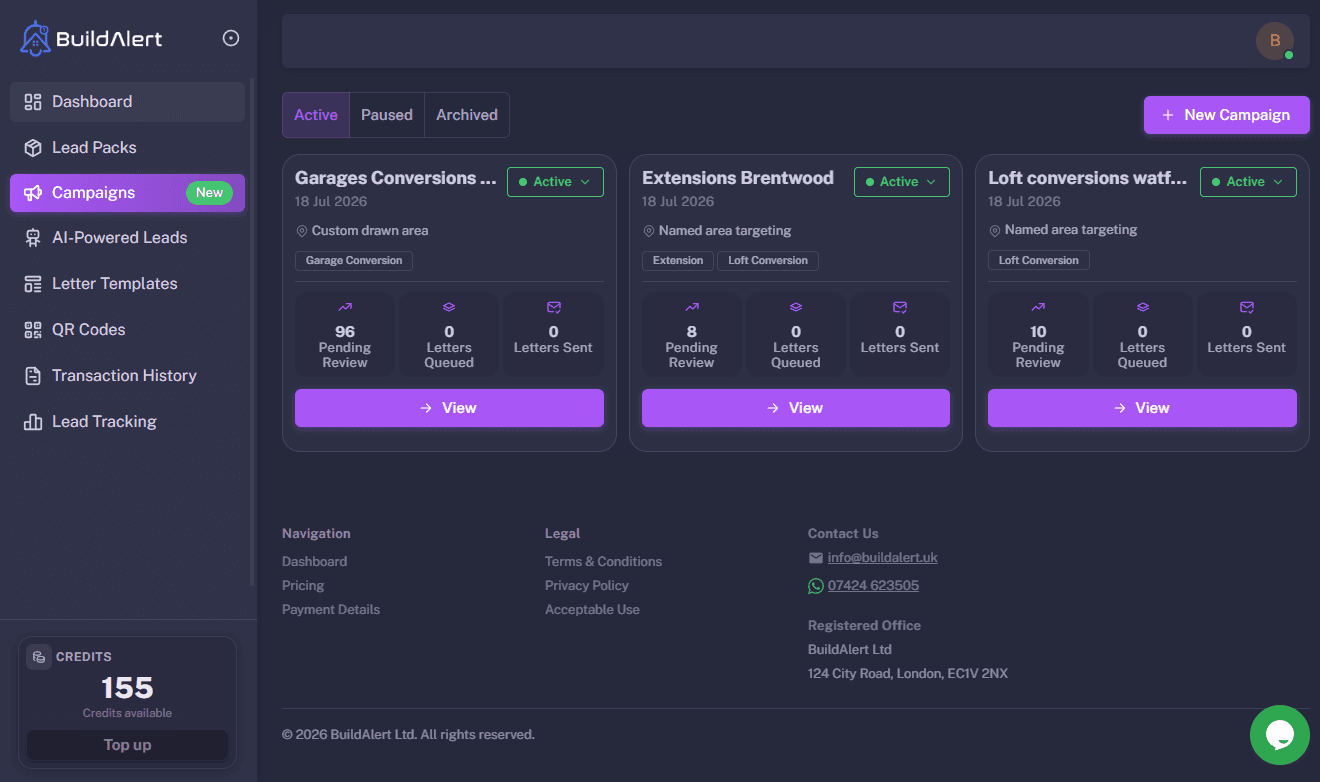
Create Powerful Campaigns
BuildAlert’s campaign builder gives you complete control over which planning applications you want to target. Choose where you work, filter the projects that matter, select your marketing templates and let BuildAlert automatically contact new matching homeowners.
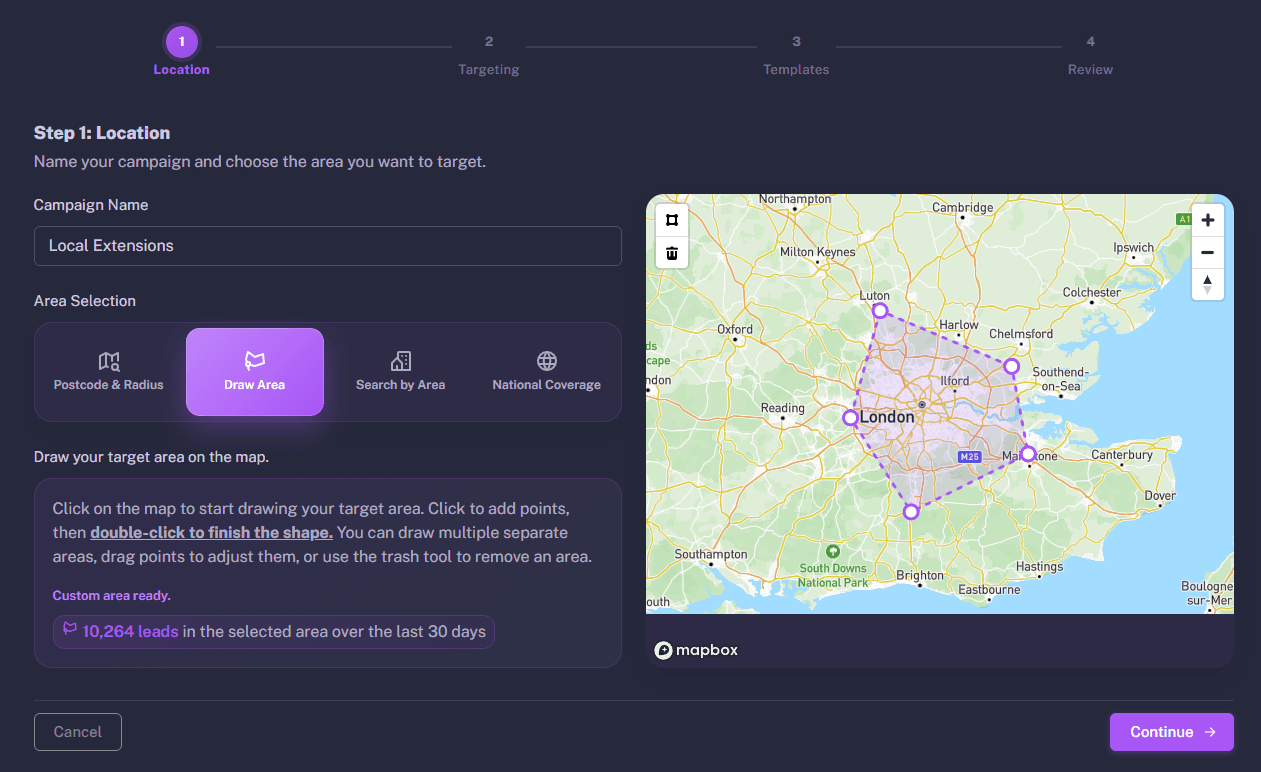

Choose where you want to work
Start by giving your campaign a name and choosing the area you'd like to target. Search by postcode and radius, draw a custom area on the map, select a town or local authority, or create a nationwide campaign covering the whole UK.
As you change your search area, BuildAlert shows how many planning applications match your campaign, helping you understand the size of your audience before moving on.
Choose the projects you want to target
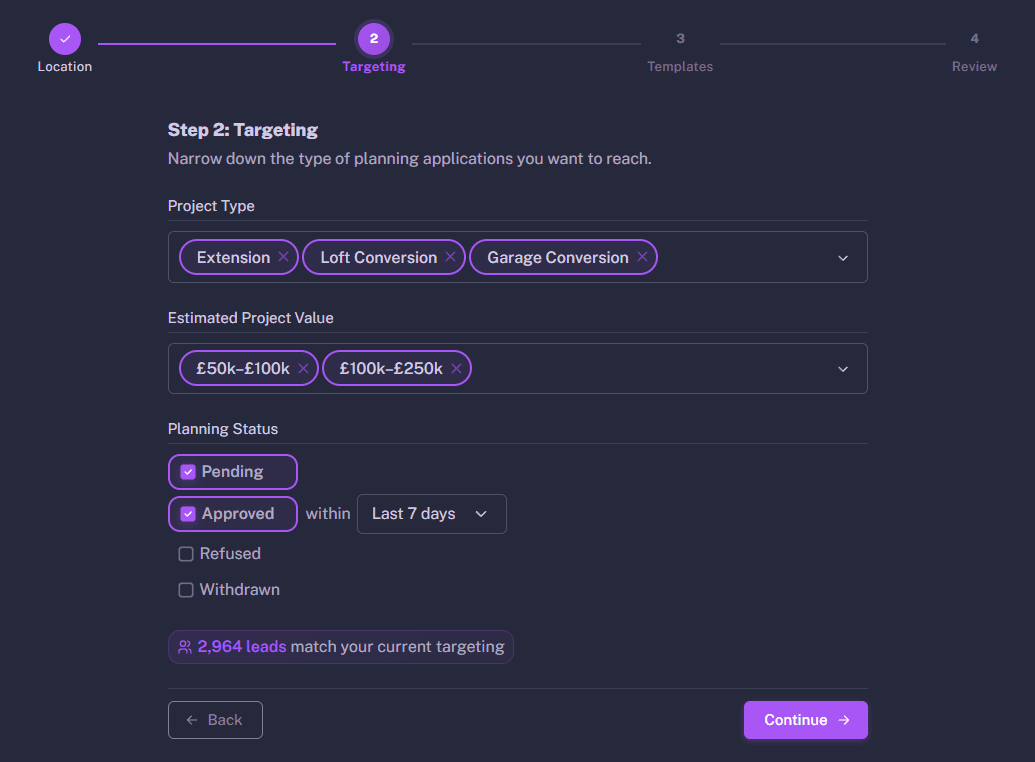
Refine your campaign by filtering planning applications based on project type, estimated project value, planning status, domestic or commercial developments, and free text keywords.
Use keywords to target more specific or unusual projects that aren't covered by the standard filters. You can also exclude keywords to remove unwanted matches. For example, search for "pod" while excluding "roof pod" to focus on the projects that matter to your business.
Your campaign updates instantly as you change the filters, so you can see exactly how many matching planning applications you'll be targeting.
Choose your templates
Select which letters or postcards should be sent for each planning status. You can create multiple templates and choose exactly how homeowners are contacted throughout the planning process.
Create multiple template variations and A/B test different messaging to see which campaigns generate the best response. For an even stronger first impression, you can also choose our optional 120gsm premium paper, giving your letters a higher-quality look and feel.
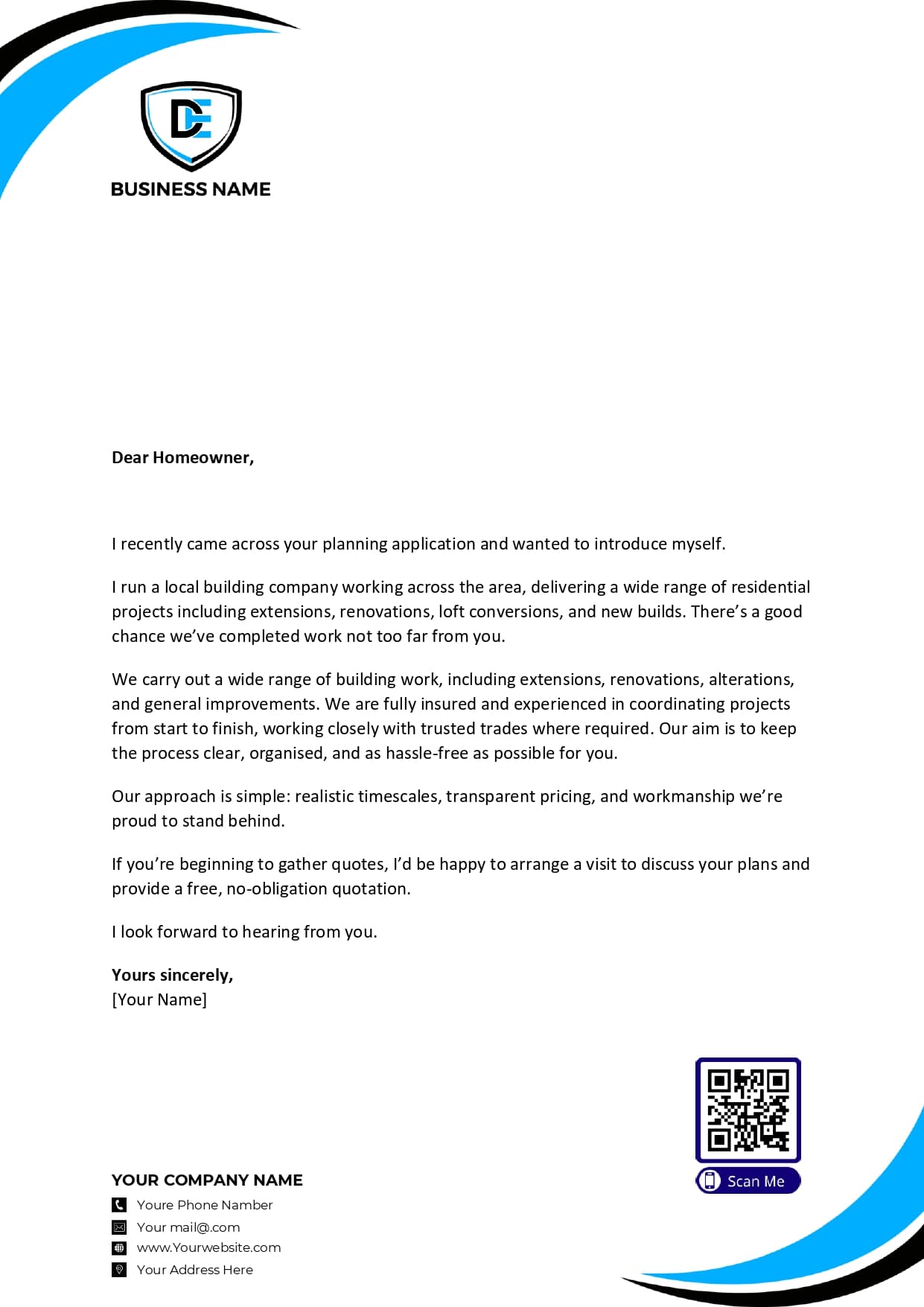
Want more control over the design? Our construction letter template builder lets you generate copy with AI, add your branding, trust badges, reviews, QR codes, a personalised signature and photos of your completed work.
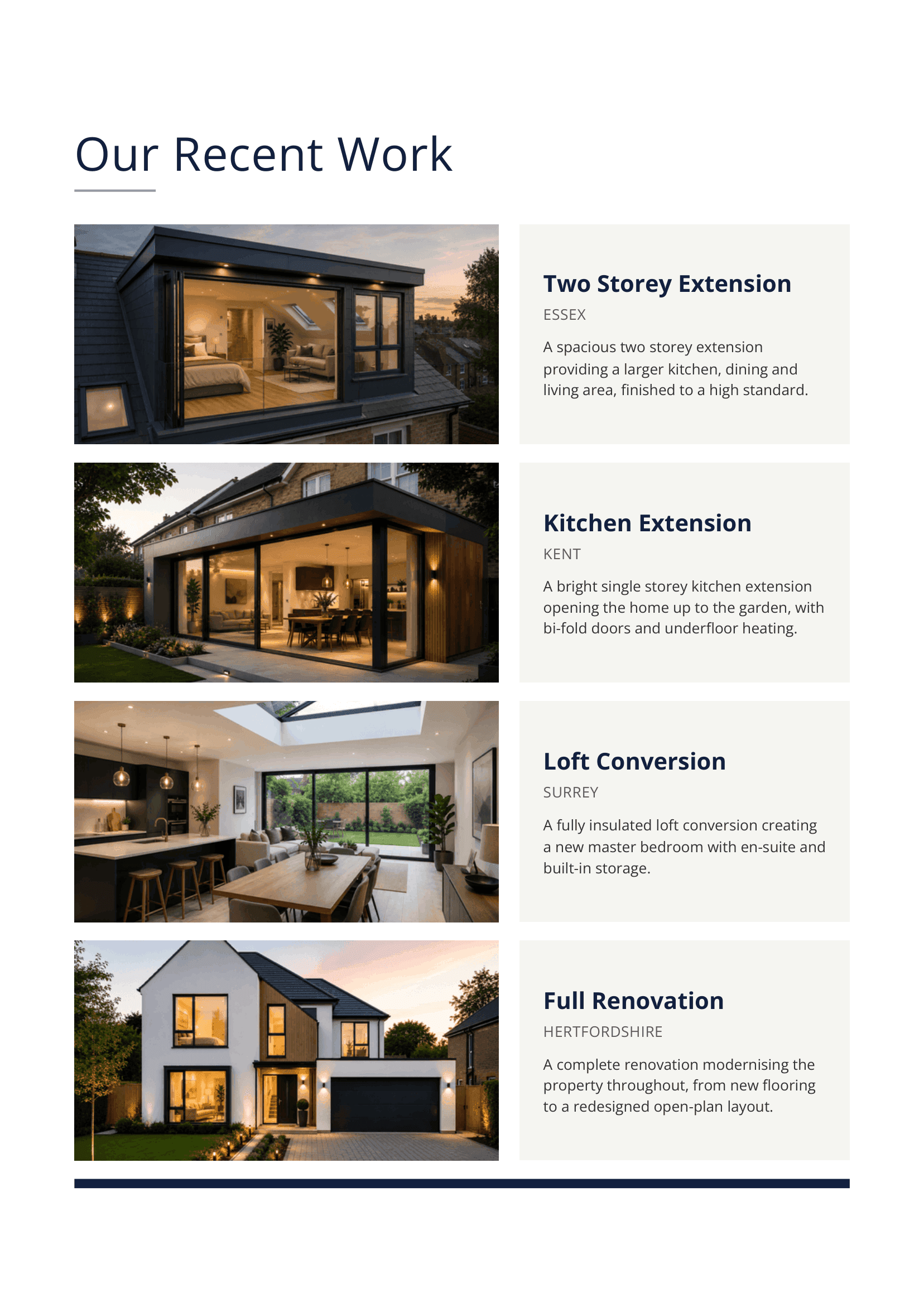
You can also add an optional Recent Work insert, giving homeowners a full-page showcase of projects you’ve completed, with large project photos, locations and short descriptions of the work carried out.
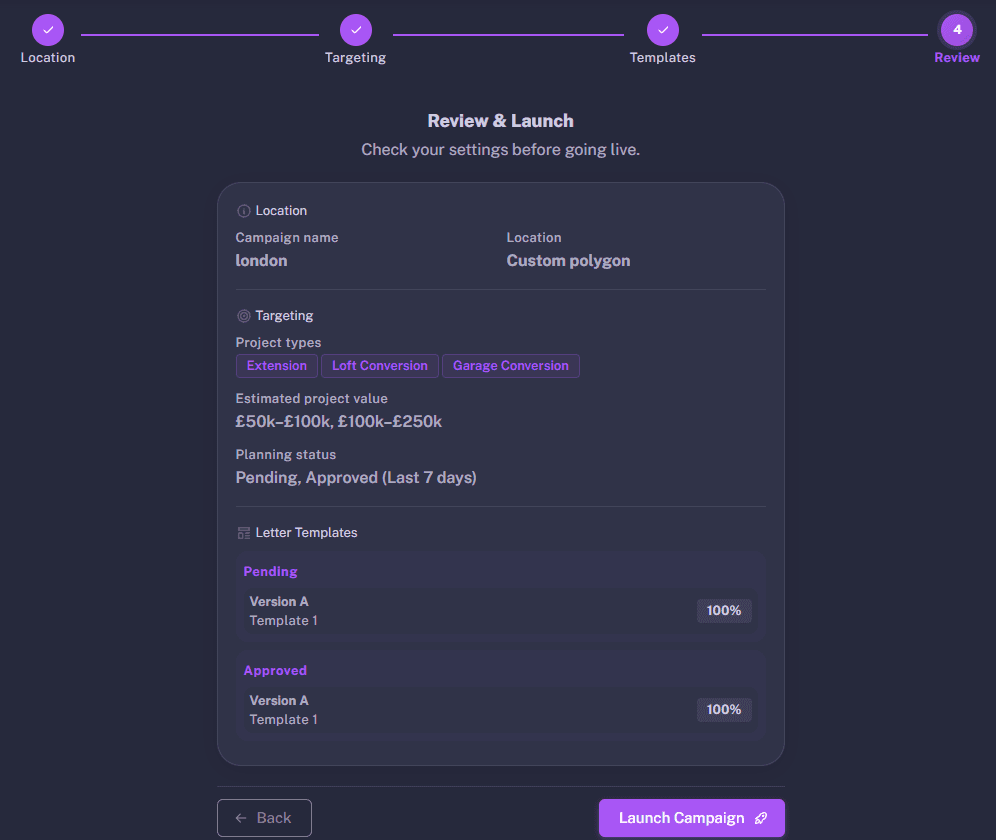
Review and launch
Review your campaign settings before going live. Once launched, BuildAlert continuously monitors for new planning applications matching your criteria.
Your campaign is now ready to start finding new opportunities automatically.
Set up a fully automated campaign
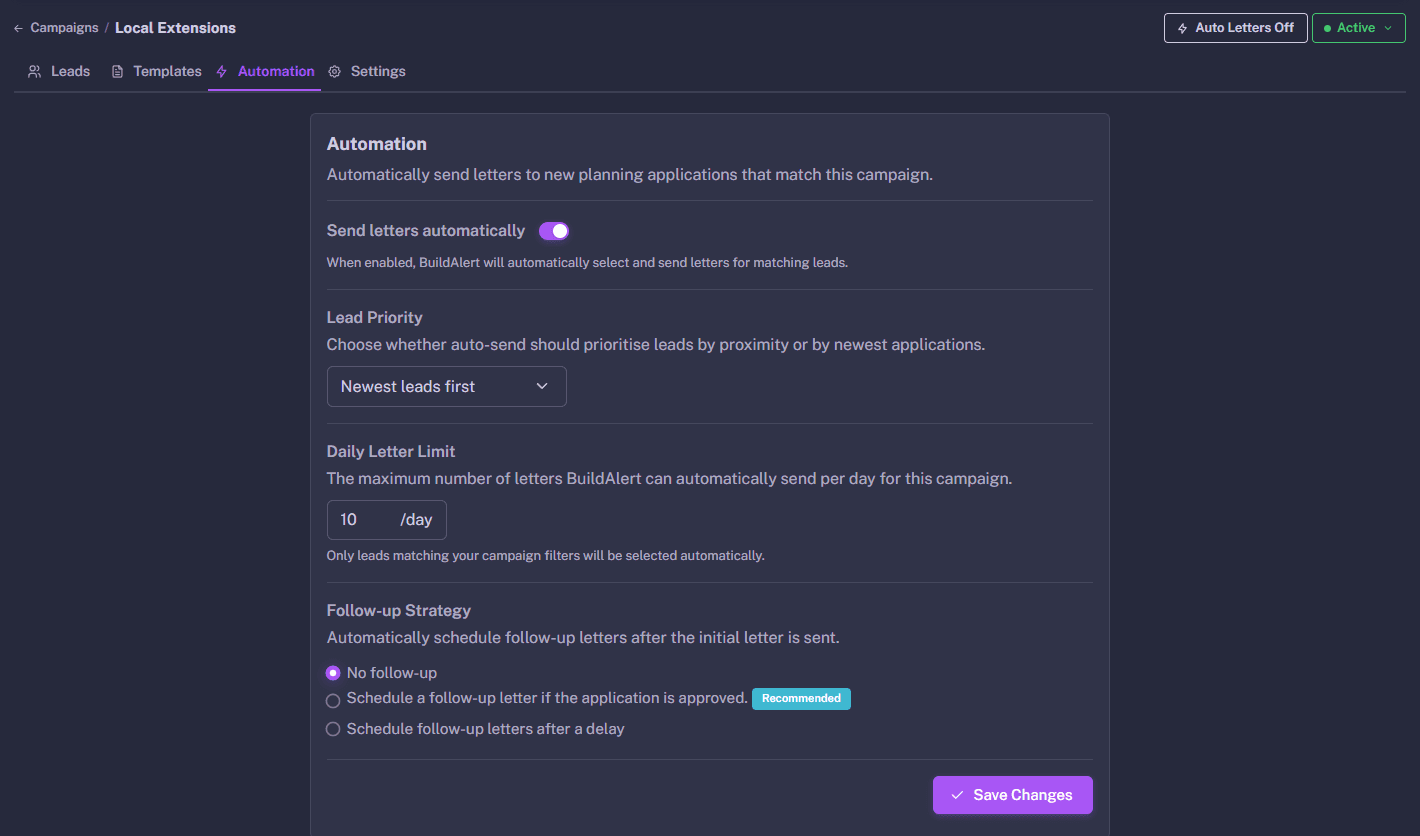
Automatically send your chosen letters or postcards when new planning applications matching your campaign are published. BuildAlert monitors planning applications continuously, so you never miss an opportunity.
Choose exactly when marketing should be sent, whether that's when an application is submitted, approved or at multiple stages throughout the planning process.
Be as hands on or hands off as you want
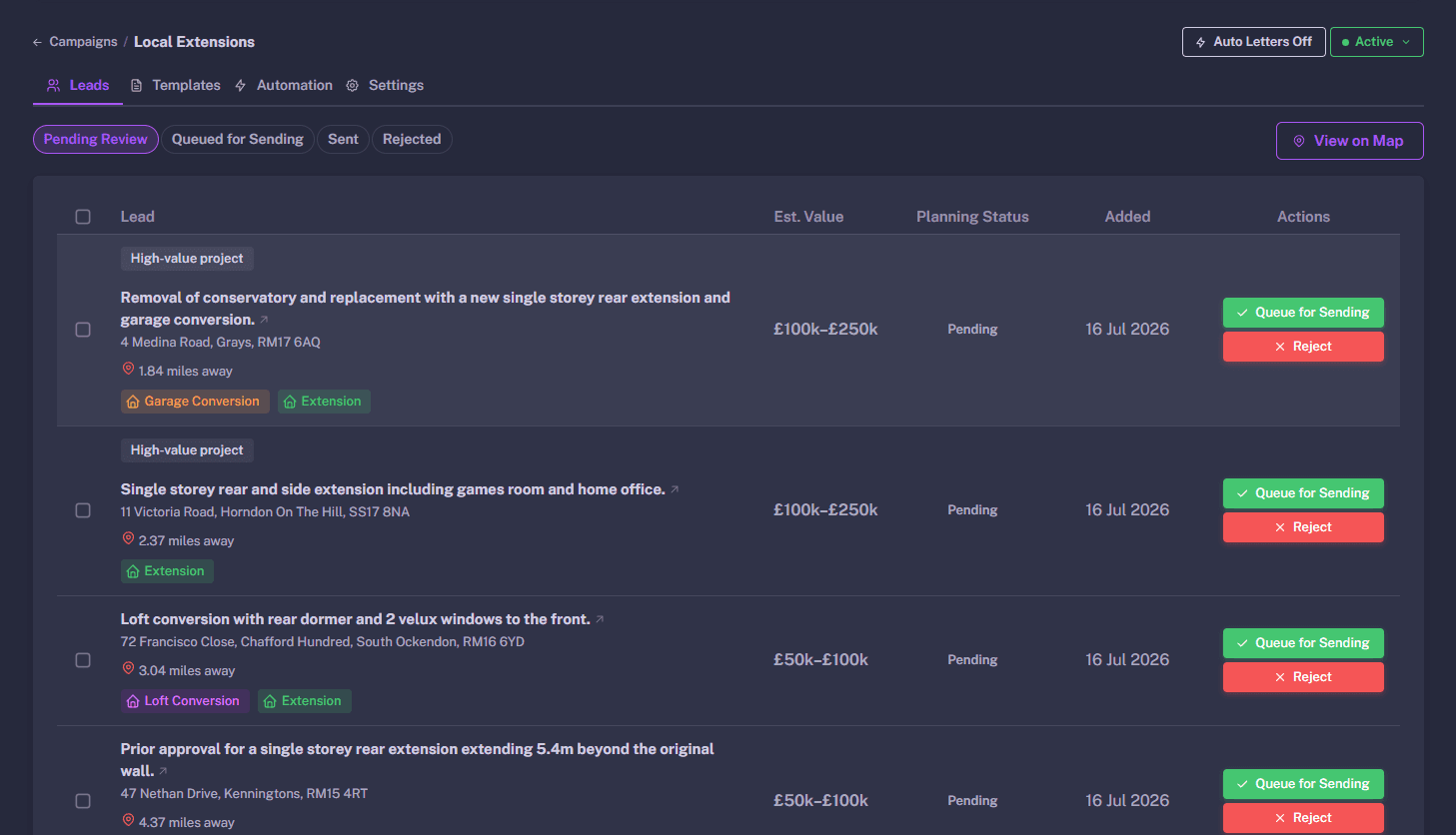
Review every matching planning application before anything is sent, or let BuildAlert automatically print, post and track your chosen letters or postcards on your behalf.
Set daily sending limits to control your budget while BuildAlert takes care of the rest.
Schedule Follow-Up Letters Automatically
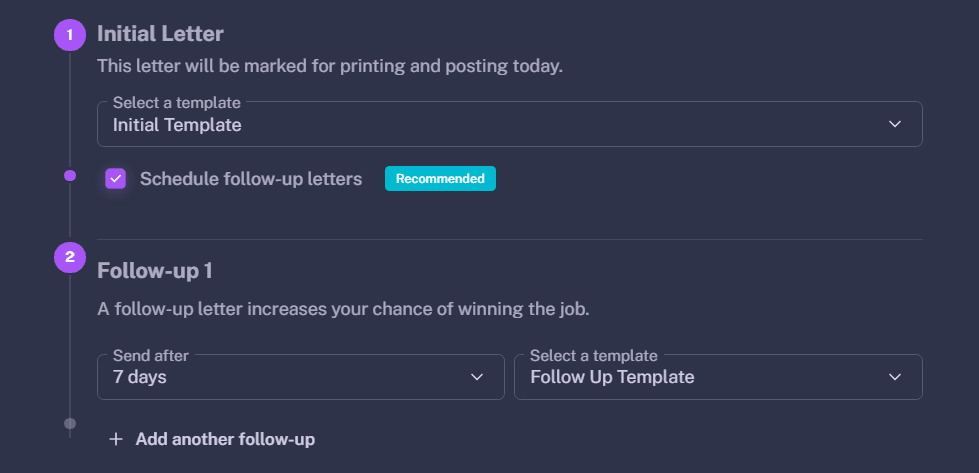
Not every homeowner responds to the first letter. With BuildAlert, you can schedule follow-up letters in advance so you stay in front of potential clients throughout their planning journey.
Choose to send follow-up letters after a set number of days, such as 14 days after your initial letter, or trigger them automatically when a planning application reaches a specific status, such as Approved, when many homeowners begin looking for builders and requesting quotes.
Choose your follow-up type, set the timing or planning status trigger, and select a template. We'll handle the printing and posting automatically, so your follow-up campaigns run consistently without any extra work.
QR Business Profiles
Turn every letter into measurable engagement.
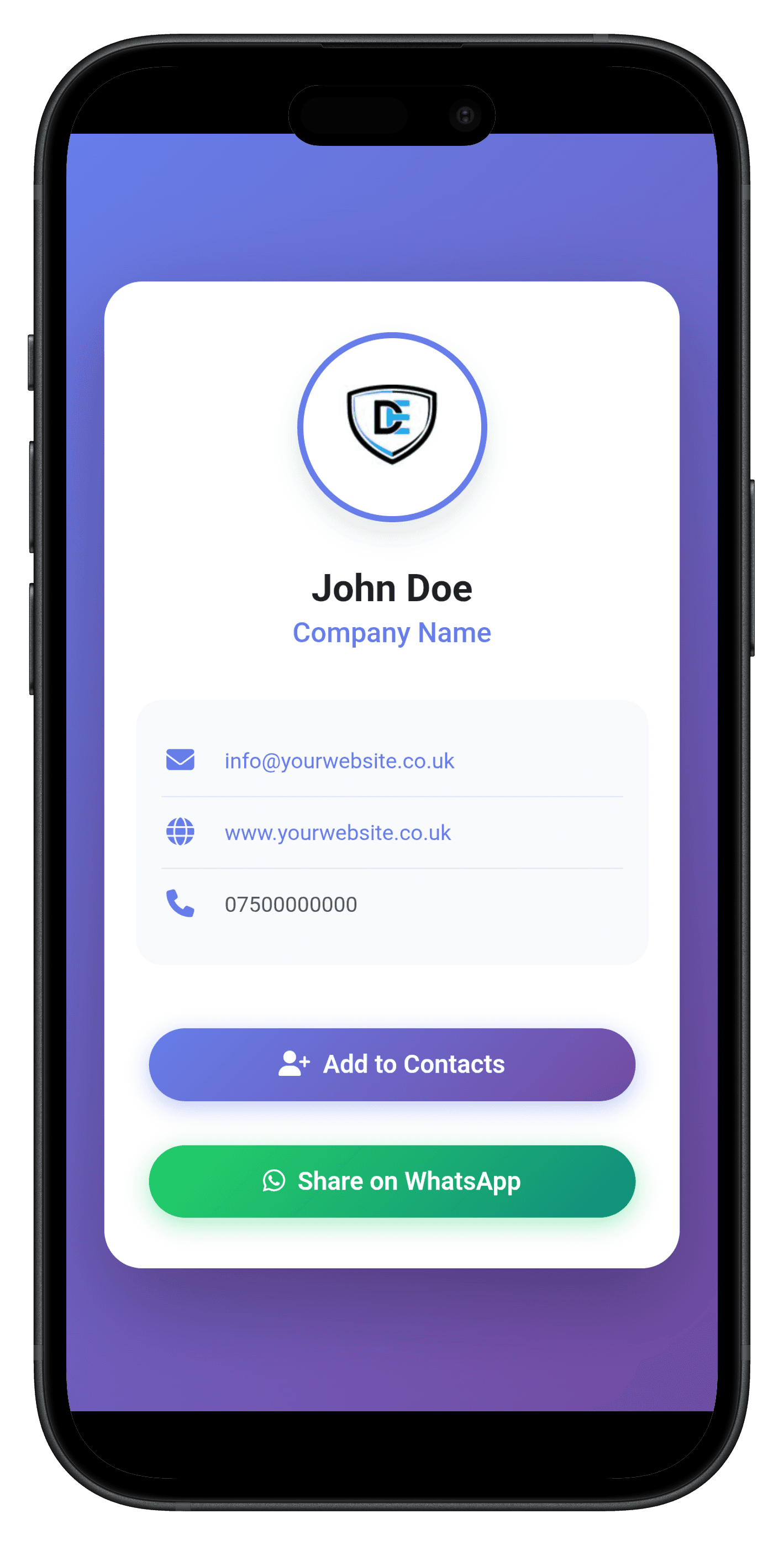
Direct mail gets you noticed. The QR code makes it easy to act. Homeowners can call you, visit your website, or save your details in seconds. You see who engaged, and they remember your name. The moment someone scans your code, you'll get a real-time email alert, so you can follow up while your letter is still on their kitchen table.
What the homeowner sees
Your logo and business name, shown instantly
Your website link (tap to visit)
Your email address (tap to email)
Your phone number with click-to-call
One-tap “Save Contact” so you're in their phone instantly
What you can track
Instant email alert the moment your QR code is scanned
QR code scans so you can see who engaged
Website clicks from your profile
Contact downloads so you know when someone saved your details
Direct mail works. But most of it stops at the letter. A QR code makes the next step simple. The homeowner can call you, visit your website, or save your details in seconds. You get a real-time email the second they scan, so you can respond while you're still front of mind.
Showcase Your Recent Work
Build trust with homeowners by showcasing recent projects you’ve completed in their area.
Add project photos, locations and a short description of the work, and BuildAlert will create a professional full-page insert to send alongside your letter.
Showing relevant local work helps homeowners see that you’re active nearby, experienced with similar projects and trusted by people in their area.
Help improve conversion rates
Homeowners planning extensions, loft conversions and other major projects may receive letters from several construction companies.
Showing real examples of your work helps your letter stand out, builds confidence in your business and gives homeowners more reason to get in touch.
Lead Tracking & ROI Dashboard
Know exactly what your marketing is returning.
Most construction companies and property professionals spend money on marketing without clear visibility on what comes back. There’s no structured record of who was contacted, who responded, or what revenue it generated. That uncertainty adds up.
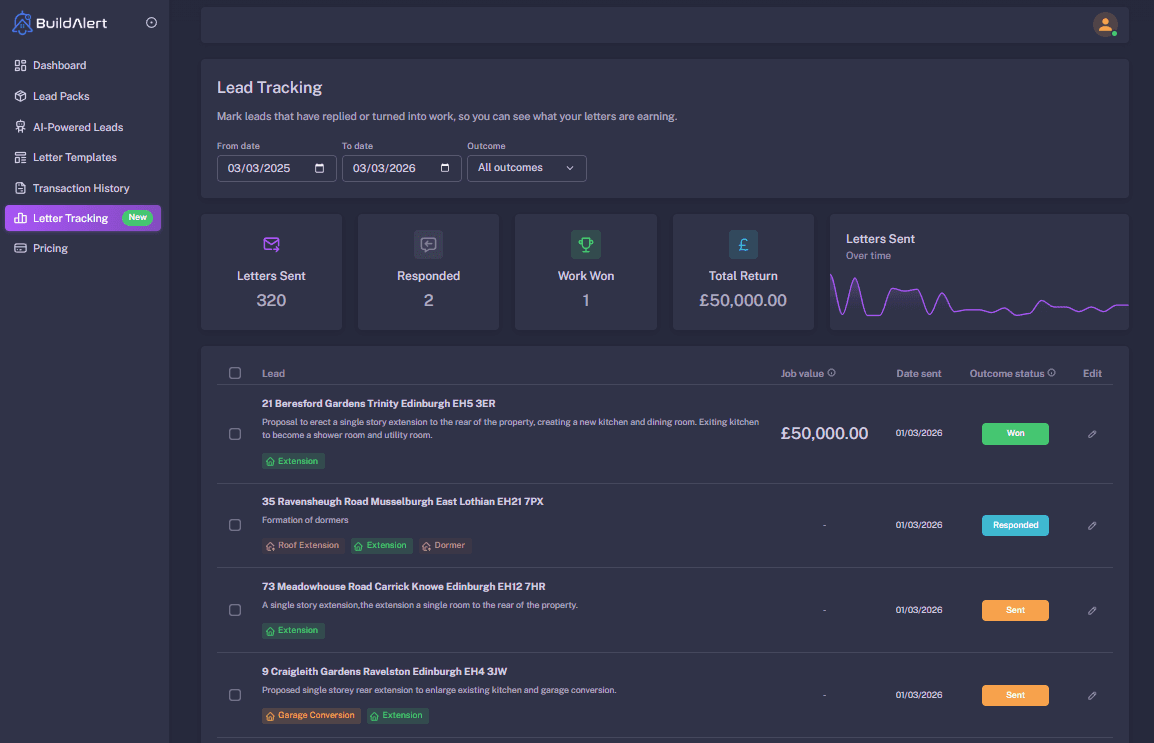
BuildAlert’s lead tracking dashboard gives you control. Every letter you send is recorded. When a homeowner responds, you log it. When you win the job, you enter the value. Over time, you build a clear, accurate view of what your outreach is producing in real revenue.
What you can measure
Total letters sent across any date range
Homeowner responses logged in one place
Lead status: Won, Lost, or Pending
Project value for each confirmed job
Total revenue generated from outreach
Performance trends over time
When you can see the numbers clearly, decisions become simple. Scale what works, refine what doesn’t, and know your marketing spend is generating measurable return.
How it works questions
Everything you need to know about finding and winning work with BuildAlert.
How does BuildAlert help me win more building work?
Our platform helps you identify homeowners who have recently submitted planning applications so you can contact them before they've chosen a contractor.
Create campaigns using postcodes, towns, local authorities, custom map areas or nationwide searches, then filter results by project type, planning status, estimated project value, and domestic or commercial developments to focus on the projects that matter to your business.
How do I find the right projects?
Create campaigns using postcodes, towns, local authorities, custom map areas or search nationwide to find planning applications anywhere in the UK.
Refine your results using free text search, project type, planning status, estimated project value, and domestic or commercial filters, so you only see the projects that are relevant to your business.
What is a campaign?
A campaign is a saved search that continuously monitors planning applications matching your chosen criteria.
Set your location, project types, planning status and other filters once, then let BuildAlert notify you or automatically send letters whenever new matching applications are published.
Can I target homeowners anywhere in the UK?
Yes. BuildAlert provides nationwide planning application coverage across the UK.
Create campaigns using postcodes, towns, local authorities, custom map areas or search nationwide to target exactly where you want to win work.
Can I send both letters and postcards?
Yes. BuildAlert lets you send professionally printed letters or postcards to planning applicants.
We handle the printing, postage and delivery tracking, so all you need to do is choose your leads or let your campaigns send them automatically.
Can BuildAlert send letters automatically?
Yes. Automated campaigns continuously monitor for new planning applications that match your criteria and can automatically send letters or postcards on your behalf.
You can also set daily sending limits, giving you complete control over your marketing budget.
Can I send follow-up letters automatically?
Yes. BuildAlert allows you to automatically send follow-up letters after 7 or 14 days, or when a planning application has been approved.
Following up helps keep your business front of mind throughout the homeowner's project.
Do I have to send letters through BuildAlert?
No. You can use BuildAlert purely for the planning data.
Browse planning applications, applicant addresses, planning agent details and planning documents, then carry out your own marketing however you choose.
Can I view planning drawings before contacting a homeowner?
Yes. BuildAlert gives you access to planning drawings, application details and supporting documents before you decide whether to contact a homeowner.
This helps you qualify projects and target the work that's right for your business.
Can I personalise my letters and postcards?
Yes. Upload your logo, create your own letter and postcard templates, and send fully branded marketing that represents your business.
You can create multiple templates to test different messaging and improve your campaign performance over time.
Will other builders receive the same planning applications?
Planning applications are public information, so other businesses can search for the same projects.
Unlike traditional lead generation websites, BuildAlert doesn't sell shared leads or auction enquiries. Every user has access to the same planning data and chooses which homeowners to contact.
Where does BuildAlert get its planning data from?
BuildAlert imports planning application data from over 400 local planning authorities across the UK.
More than 20,000 new planning applications are added every week, giving you early access to fresh construction opportunities.
Isn’t the planning application stage too early?
Not at all. Many homeowners begin researching builders shortly after submitting a planning application.
Contacting them early helps introduce your business before they've chosen a contractor, giving you a valuable first-to-quote advantage.
How do I track the letters I send?
Every letter and postcard sent through BuildAlert is professionally printed, posted and tracked.
Your dashboard also lets you record homeowner responses, monitor conversions and measure the return on your marketing.
What can I filter planning applications by?
BuildAlert gives you powerful filtering options so you only see the work that matters to your business.
Filter by project type, planning status, estimated project value, domestic or commercial developments, postcode, town, local authority, custom map areas or search nationwide.