Step 1
Target exactly where you work
Search around a postcode, draw your own area on the map, select counties or local authorities, or cover the whole UK.
PostcodeDraw areaLocal authorityWhole UK
Over 20,000 planning applications scanned every week
Find homeowners planning work in your area and send personalised letters automatically, showcasing your business and recent projects.
Join + construction businesses already using BuildAlert.
Your local outreach campaign
5+ ResponsesHomeowner applies for planning
You see it here before anywhere else
Your letter gets posted the same day
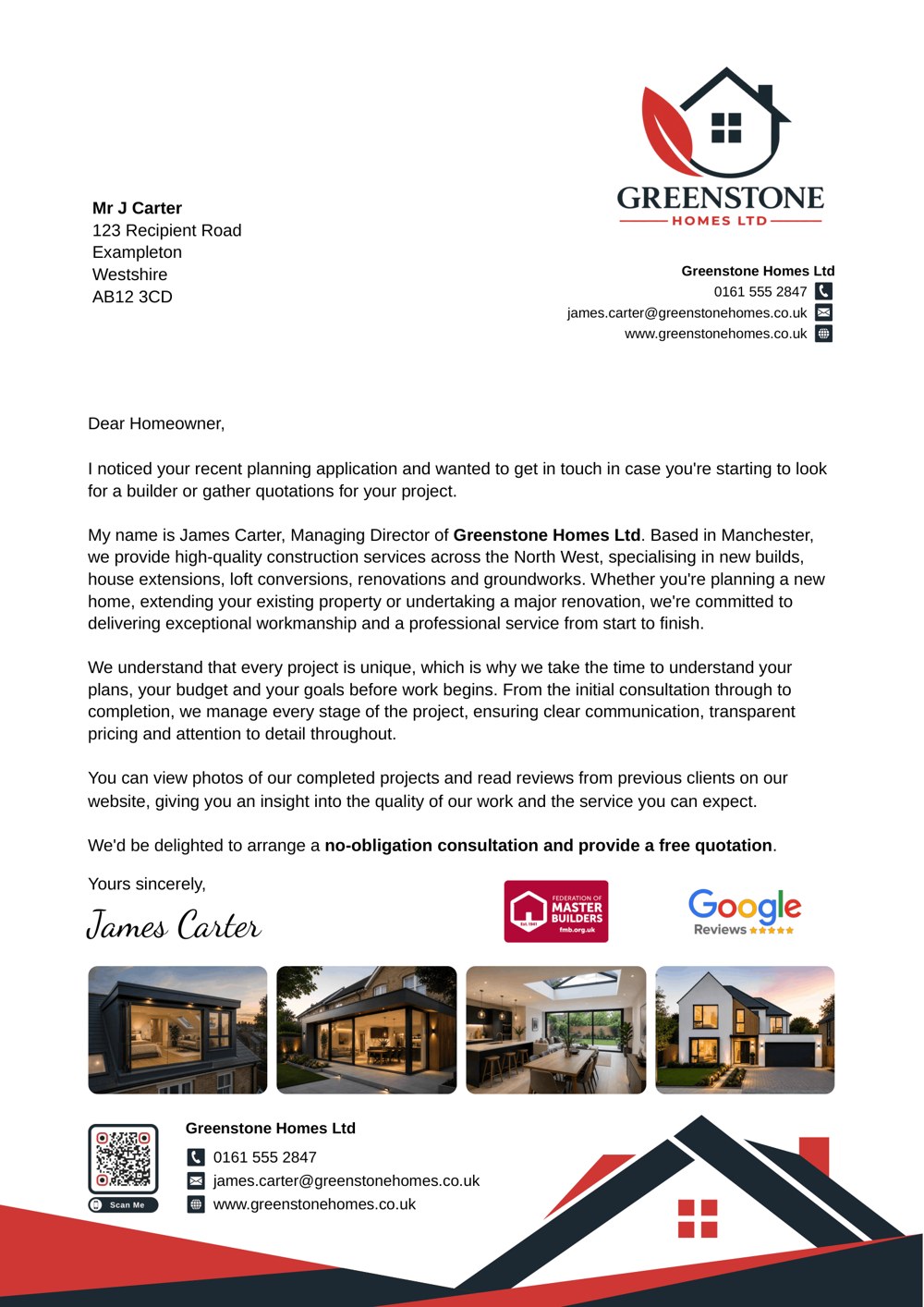
Your branded letter, with a QR code showcasing your recent projects
Homeowner scans and gets in touch
Get notified when they scan, with their address included
You win the job
The quote is accepted. The job is yours
See what your letters bring in
Track responses, jobs won and revenue in one place
Campaigns
Build campaigns around where you work and the jobs you want. Choose your locations, refine your targeting and decide which letters homeowners receive.
Step 1
Search around a postcode, draw your own area on the map, select counties or local authorities, or cover the whole UK.
Step 2
Filter by project type, estimated value and domestic or commercial work. Narrow your search further with keywords, named architects or agents, and the number of homes in a new development.
Keywords
"orangery"
Homes in development
10+
Step 3
Target recently submitted applications or projects approved within your chosen timeframe. Use different letter templates for different planning stages.
Just submitted
"Planning your project?"
Approved
"Congratulations on approval"
Step 4
Split your sends between different templates and choose the percentage each receives.
Step 5
Schedule another letter after a set number of days or when planning is approved. Choose the template and timing, and we’ll handle the printing and posting automatically.
Initial letter
Sent when the application appears
Follow-up letter
“Still planning your extension?”
Approval letter
“Congratulations on your approval”
Step 6
Approve each send or let your campaign run automatically. We print and post your letters, notify you of QR scans and keep a record of every letter sent.
Received
Your letter is approved and queued: 12/11/2026, 09:14
Producing
Printing your branded letter.
Handed Over
Posted from our print centre: 12/11/2026, 16:40
In Transit
Scanned at the regional mail centre: 12/11/2026, 21:05
Local Delivery
Out for delivery
Delivered
QR code scanned
A homeowner just viewed your recent projects
Step 7
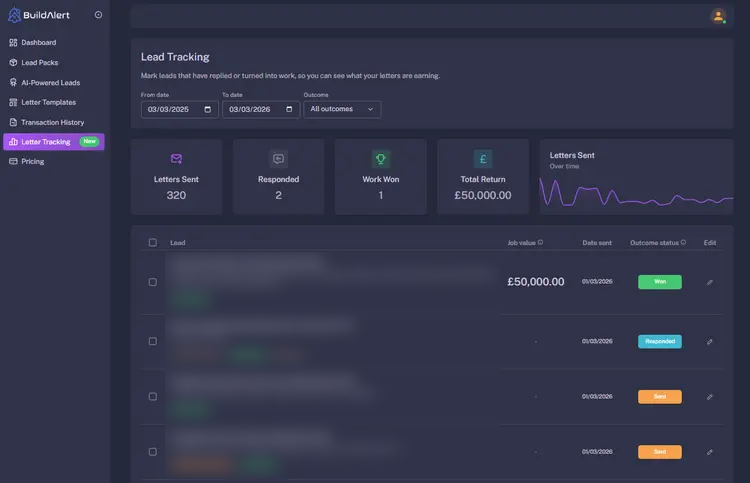
Log homeowner responses, mark leads as won, lost or pending, and record the value of jobs you win. See your letters sent, responses and revenue in one dashboard.
What homeowners receive
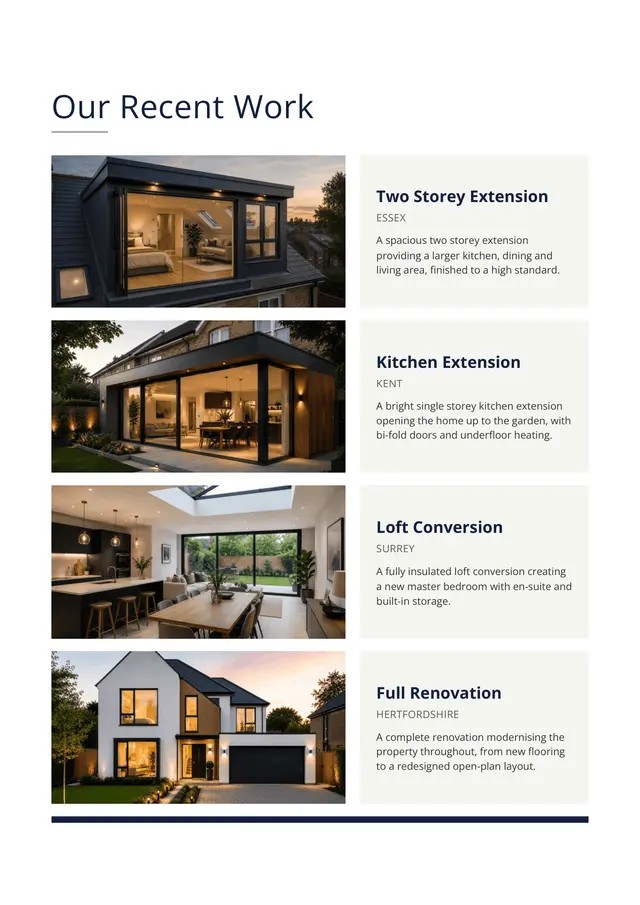
Build trust with photos of projects you’ve completed nearby. Add locations and short descriptions, and we’ll create a professional full-page insert to send with your letter.
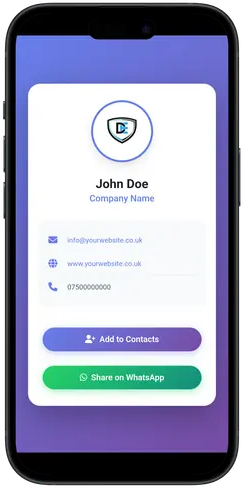
Your QR code takes homeowners straight to your branded business profile, where they can call, email, visit your website or save your details. Get an instant email alert when they scan, with the property address included.
BuildAlert · just now
Your QR code was scanned
A homeowner viewed your profile from:
14 Example Road, Sampletown, AB1 2CD
Rear extension
10 mins/day
Spend just 10 minutes a day on BuildAlert to stay on top of new planning opportunities.
4–8%
Customers have reported enquiry conversion rates between 4–8% from homeowner direct mail.
Updated Daily
Planning applications and status updates are added every day, from initial submission through to final decision.
Documents in Seconds
Access planning drawings, application forms and supporting documents in seconds.
Pricing
£4,000per year
Some planning lead platforms charge up to £4,000 per year just to access their platform
Sign up free and browse local planning leads. Pay only when you send a letter.
Browse live planning-led leads for free and decide when it makes sense to reach out.
Get Started Free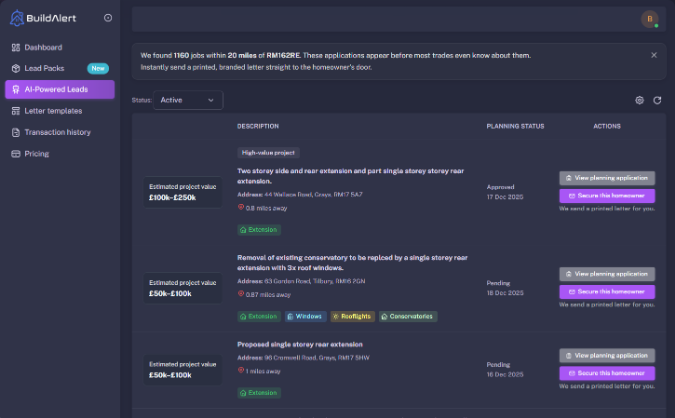
No. BuildAlert is used by sole traders, growing SMEs, and established construction firms. You can use it for selective manual outreach or fully automated campaigns across multiple areas.
Yes. BuildAlert supports fully automated daily hands-off campaigns. Choose your filters, location, and letter templates, then automatically contact every new matching planning application as soon as it appears.
Yes. You can target multiple postcodes, towns, cities, or service regions. Many businesses use BuildAlert to grow beyond one local area and build a consistent pipeline across several locations.
No. BuildAlert includes advanced filtering, automation, follow-up campaigns, planning documents, lead tracking, and reporting with flexible pricing and no long-term contracts.
BuildAlert uses real planning application data, so you reach homeowners and developers early while projects are still being planned. That means less competition than shared lead marketplaces where multiple firms chase the same enquiry.
BuildAlert covers the whole of the United Kingdom, monitoring planning applications across 400+ councils and local authorities, with thousands of new opportunities added every week.
Yes. Filter by domestic or commercial, estimated project value, radius, location, and project type such as extensions, loft conversions, garage conversions, refurbishments, new builds, and housing developments.
Yes. Use free text search to find specific opportunities inside planning applications and descriptions using keywords such as bifold doors, oak frame, rear extension, re-roofing, HMO, or any niche service you provide.
Yes. BuildAlert provides planning application details and supporting documents, helping you review descriptions, drawings, and submitted files before choosing which leads to contact.
Yes. You can schedule follow-up letters in advance so homeowners continue seeing your business while they review quotes and decide who to hire.
Yes. BuildAlert includes lead tracking and ROI tools so you can record responses, monitor won work, and see what revenue your outreach is generating.
Any question or remark? Just write us a message.
Our newest insights and guides for builders and trades.