AI Construction Letter Generator & Template Builder for UK Builders
Create professional, personalised construction letters in minutes with BuildAlert’s free AI construction letter generator and template builder.
Generate your first draft with AI, customise the design with your company branding, add project photos, reviews and accreditations, personalise each letter for the homeowner, and preview exactly how the finished letter will look when printed.
Whether you’re introducing your building company to a homeowner, following up on a planning application or sending direct mail to potential customers, BuildAlert makes it easy to create a professional construction letter without starting from scratch.
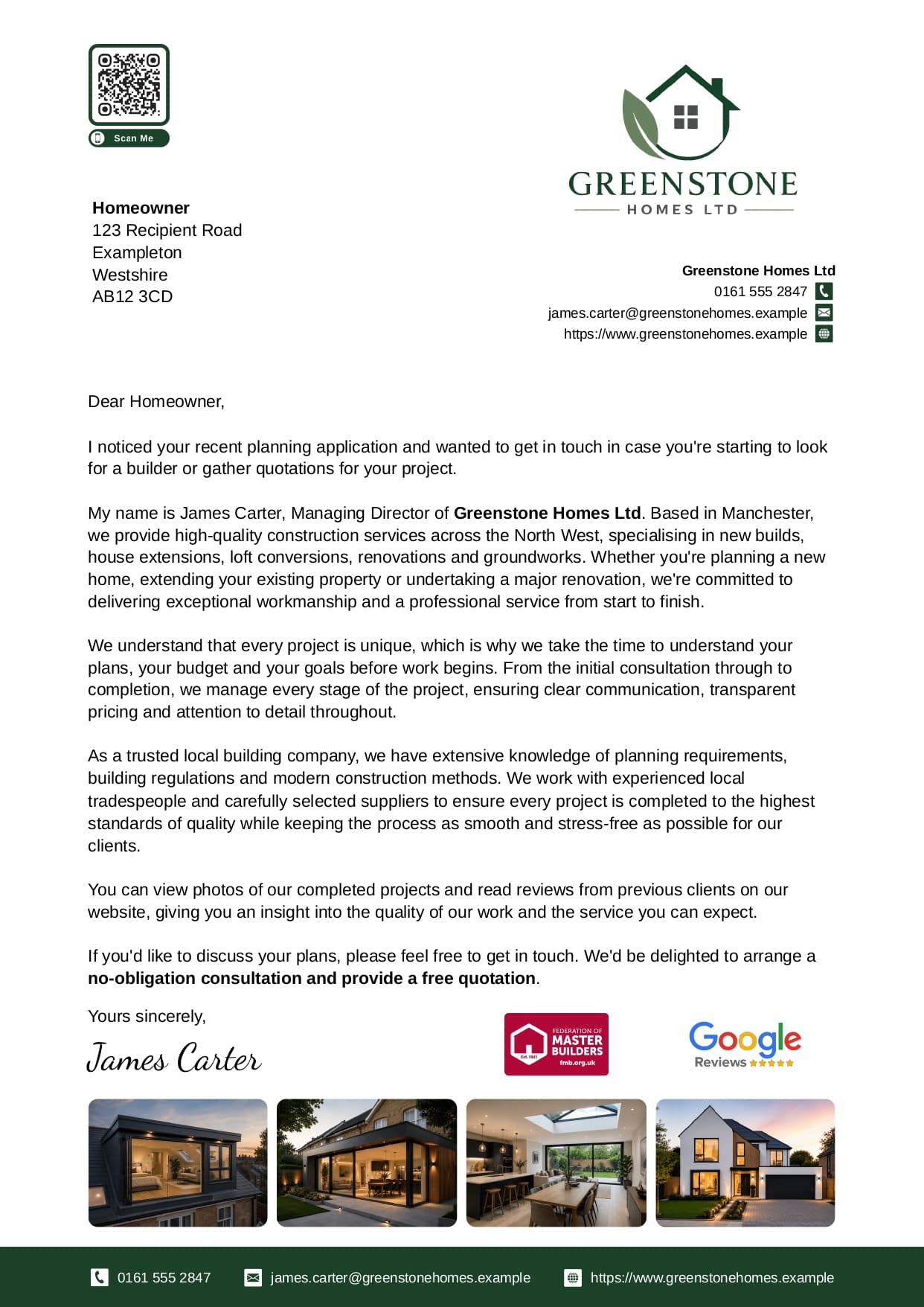
Create Professional Construction Letters Without Designing Them From Scratch
A good builder introduction letter needs to do more than explain what your company does. It needs to look professional, establish trust quickly and give the homeowner a reason to contact you.
BuildAlert’s construction letter template builder brings everything you need into one editor. You can:
Generate and edit construction letters with AI
Automatically personalise letters for each homeowner
Add your company logo, colours and branding
Show accreditations, review platforms and completed work
Add branded QR codes and a professional signature
Preview the exact printed PDF before sending
And you can create your letter template for free.
Build My Letter for FreeGenerate a Construction Letter With AI
Not sure what to write? BuildAlert can create the first draft for you. Enter your business details and use Generate Letter to create a professional starting point based on your company — instead of staring at a blank page, you get something useful to work from straight away.
Already have a draft?
You can improve that too. Use Request AI Changes to tell BuildAlert what you want changed in normal English, for example:
Make the introduction shorter
Make the letter sound more personal
Mention that we specialise in extensions
Make the call to action stronger
Remove this paragraph
Rewrite this section in a more professional tone
BuildAlert updates the existing letter for you, so you can refine the copy without repeatedly copying text between different AI tools.
A Free AI Letter Generator Built for Builders, Construction Companies and Trades
Generic AI writing tools can help you write text. BuildAlert is designed to help builders turn that text into an actual professional construction marketing letter — the writing, branding, personalisation, trust signals, photos and final print layout all live in the same place.
If your business wins work from homeowners, you can use BuildAlert to create a professional letter template for reaching them.
Automatically Personalise Every Builder Letter
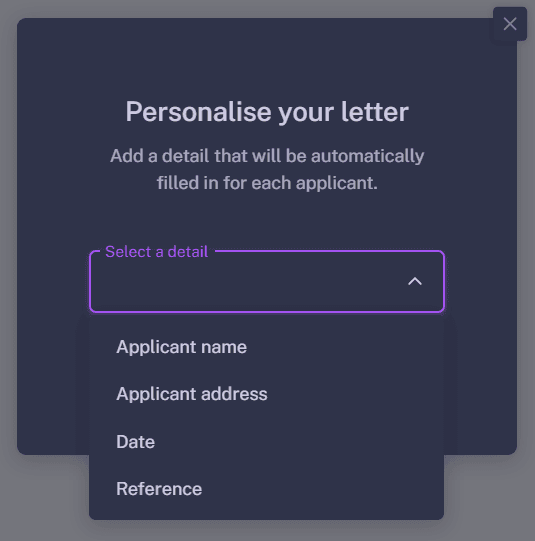
A letter addressed personally to a homeowner feels very different from a generic leaflet. BuildAlert includes mail-merge personalisation directly inside the letter editor. Use the Personalise menu to insert:
When letters are prepared for individual recipients, BuildAlert automatically replaces these fields with the correct details — so you can create one construction letter template and use it across multiple homeowners without manually editing every copy.
It is particularly useful when contacting homeowners based on planning applications, where each letter can reference the correct applicant and planning information.
Create Your Own Construction Company Letterhead
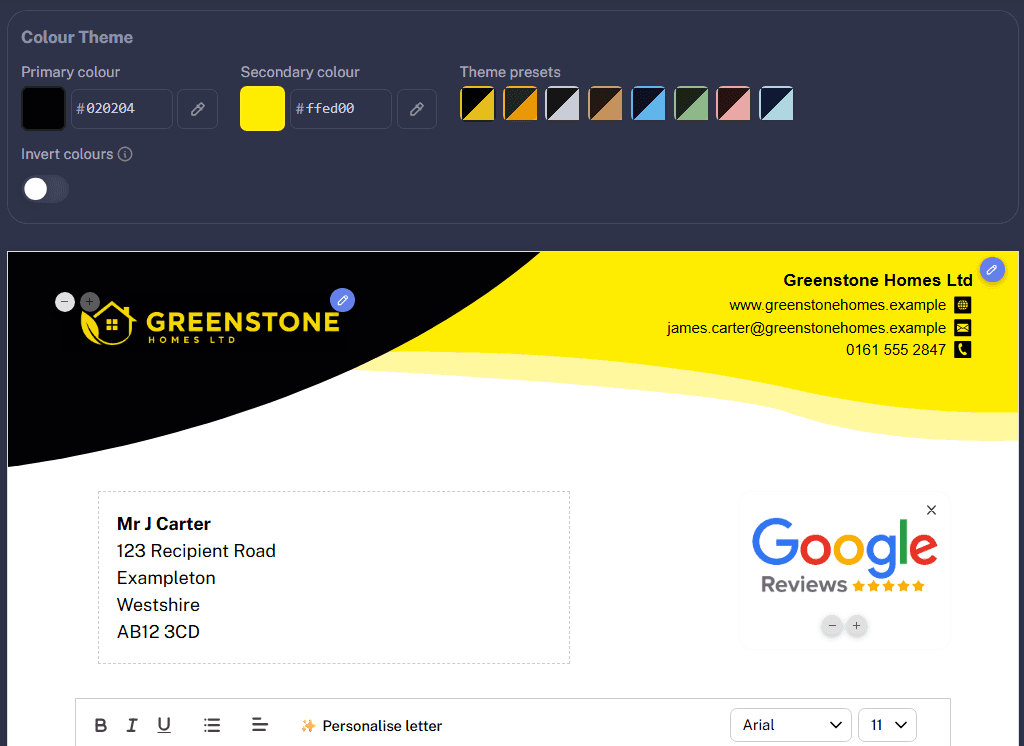
Your letter should look like it came from your business, not from a generic online template. BuildAlert lets you create a complete construction company letterhead using your own branding.
Add your company logo
Upload your logo and include it as part of your letter design. BuildAlert supports JPEG, PNG, GIF, WEBP, AVIF and SVG.
Choose your company colours
Set primary and secondary brand colours and see the changes immediately in the live preview, or choose from curated colour combinations.
Choose your font
Select the font family and size that best suits your business.
Pick a professional layout
Choose from multiple pre-built designs, including Classic, Modern and additional layouts with different headers, footers, colour bands, QR positions and branding styles.
Add FMB, Checkatrade and Other Construction Trust Badges
Trust matters when a homeowner is deciding which builder to contact. If your company belongs to a recognised trade organisation or accreditation scheme, BuildAlert makes it easy to display that directly on your letter in one click.
Instead of simply telling a homeowner that your business is reputable, you can show recognised trust signals directly on your construction company letter. Only add accreditations or badges that genuinely apply to your business.
Highlight Your Reviews and Trusted Review Platforms
Reviews can be one of the strongest trust signals when a homeowner is choosing a builder. BuildAlert lets you add recognised review-platform logos to your construction letter, including Google Reviews, Checkatrade, MyBuilder, Trust A Trader and Facebook.
These familiar logos help reinforce your reputation and show homeowners where your business has already built a presence. Combined with accreditations and completed-project photos, reviews make the letter feel much more credible than a basic text-only introduction.
Add Photos of Your Completed Construction Projects
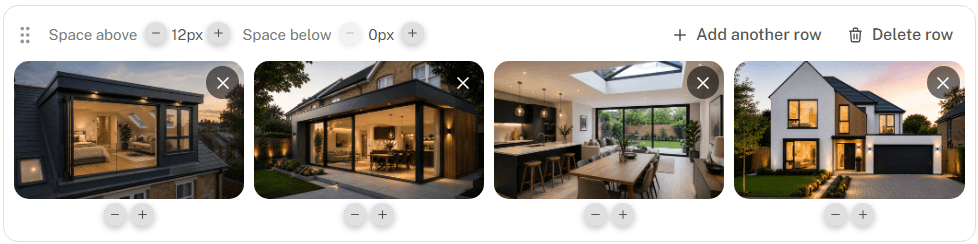
Homeowners want to see the standard of your work. With BuildAlert, you can upload photos of completed projects directly into your letter template — show examples such as:
BuildAlert automatically prepares uploaded photos so they fit neatly into the letter. Phone photos are automatically corrected if their orientation data would otherwise make them appear sideways or upside down, and images are cropped and resized to fit the layout. You can also adjust the height of each photo row.
This makes it much easier to turn your construction portfolio into part of your direct-mail marketing.
Add a QR Code to Your Construction Letter
A printed letter does not have to be an offline dead end. BuildAlert lets you add a QR code to your letter in one click. There are two main options.
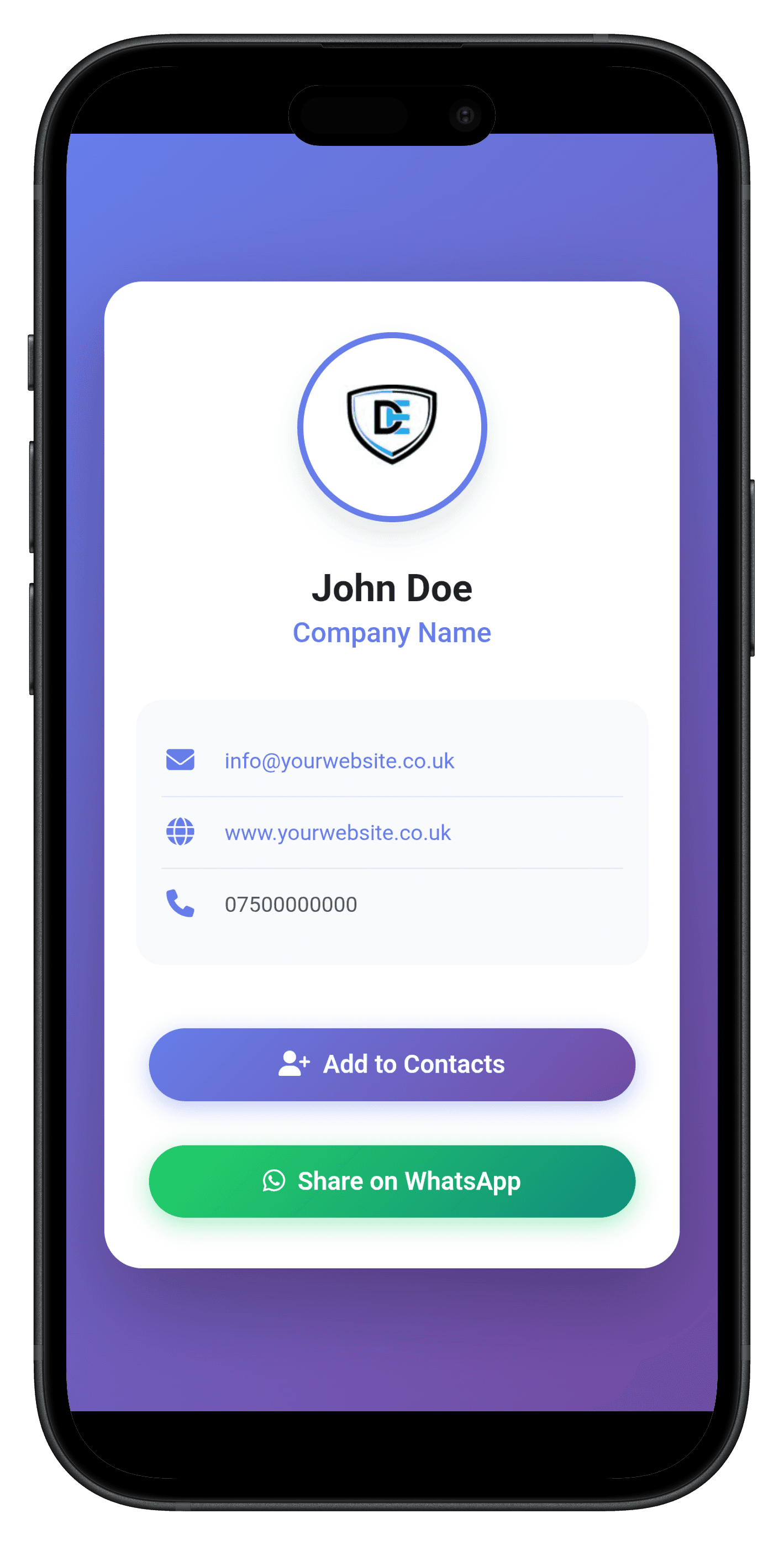
Digital contact card QR code
Create a QR code that allows the homeowner to quickly save your contact details to their phone. Instead of expecting someone to manually type in your number or email address, they can simply scan the code.
Social profile QR code
You can also create a QR code linking directly to one of your social profiles, helping homeowners view more of your business after receiving the letter.
Match the QR code to your branding
Colours automatically match your construction letter theme
Place your company logo in the centre
Add an optional Scan Me badge
Control how the QR code appears within the design
It gives homeowners a simple bridge between your printed builder letter and your online presence.
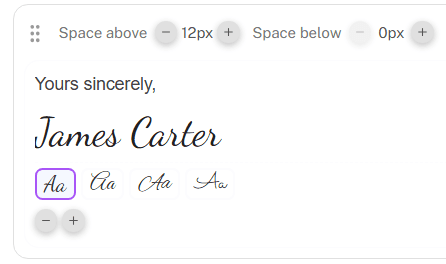
Add a Professional Signature
Small details can make a construction company introduction letter feel much more personal. BuildAlert includes a typed-signature tool that renders your name using a script-style font. You can also customise the closing line above it, for example “Yours sincerely,” followed by your typed signature.
This allows you to keep the personal feel of a signed letter while still using the same template across multiple recipients.
Preview the Exact Printed PDF Before Sending
What you see in a browser editor is not always exactly what comes out of a printer. BuildAlert solves this with Preview Printed PDF. Before sending anything, you can generate and view the exact PDF file that will be used for your letter. Check:
You can preview the PDF directly from the template editor or use View PDF from your templates list — so you can see precisely how your finished construction letter will look before it reaches a potential customer.
How to Create a Construction Company Letter Template
Creating a professional builder letter with BuildAlert only takes a few steps.
Choose a construction letter design
Start with one of the available letter templates and choose the layout that best matches your company.
Generate or write your letter
Write your own copy or use the AI construction letter generator to create the first draft.
Add your branding
Upload your logo and choose your company colours, fonts and overall design.
Add trust signals
Include relevant accreditations, review platforms and other trust badges your business is entitled to use.
Show examples of your work
Upload photos of completed construction projects so homeowners can immediately see what you do.
Personalise the letter
Insert fields such as the applicant name, address and planning reference so the same template can be personalised for each recipient.
Add a QR code and signature
Give homeowners a quick way to save your details or visit your online profile.
Preview the printed PDF
Check exactly how the finished letter will appear before using it.
What Should a Construction Company Introduction Letter Say?
A construction letter does not need to be complicated. A strong builder introduction letter will normally:
- 1Address the homeowner personally
- 2Explain why you are contacting them
- 3Briefly introduce your company
- 4Explain the type of work you specialise in
- 5Show evidence that you are trustworthy
- 6Include examples of relevant completed projects
- 7Give the homeowner a clear way to contact you
The goal is not to write an essay. It is to give the homeowner enough information and confidence to consider your company when they are ready to request quotes.
For a complete breakdown of the copy itself, read our guide on how to write a high-performing construction company introduction letter.
Use Professional Letters to Generate Construction Leads
The letter template builder becomes particularly useful when combined with BuildAlert’s planning application data. Planning applications can reveal homeowners who are preparing to undertake projects such as:
BuildAlert helps construction companies discover these opportunities and contact relevant homeowners directly — instead of competing only for jobs that have already reached lead-generation websites or quote-comparison platforms, you can introduce your business earlier in the homeowner’s journey.
Once you have found a suitable opportunity, you can create a personalised letter containing your branding, accreditations, project photos, reviews and contact details.
Learn more about finding construction leads from UK planning applications.
Construction letter generator questions
Everything you need to know about creating and personalising construction letters with BuildAlert.
Is the BuildAlert construction letter template builder free?
Yes. BuildAlert’s construction letter template builder is free to use, so you can create and customise a professional construction letter without paying to use the editor itself.
Can AI write a construction company letter for me?
Yes. BuildAlert includes an AI construction letter generator that can create an initial draft based on your business details.
You can then use Request AI Changes to rewrite or improve the existing draft using plain-English instructions.
Can I create a construction company introduction letter?
Yes. BuildAlert is particularly useful for creating construction company introduction letters aimed at homeowners and potential customers.
You can combine your introduction with branding, reviews, accreditations, project photos, personalised details and a clear call to action.
Can I create construction company letterhead?
Yes. You can upload your logo, choose primary and secondary colours, select fonts and use professionally designed layouts to create branded construction company letterhead.
Can I add my company logo to the letter?
Yes. BuildAlert supports company logo uploads in JPEG, PNG, GIF, WEBP, AVIF and SVG formats.
Can each construction letter be personalised?
Yes. Add personalisation fields for the applicant name, applicant address, date and reference.
BuildAlert can populate those fields for each individual recipient when the letter is prepared.
Can I add Checkatrade or FMB to my letter?
Yes. BuildAlert supports one-click trust badges for FMB, Checkatrade and a number of other recognised construction accreditations and platforms.
Only use badges that your business is genuinely entitled to display.
Can I add Google Reviews to my builder letter?
You can add a Google Reviews badge, along with supported logos for Checkatrade, MyBuilder, Trust A Trader and Facebook.
Can I add photos of completed building work?
Yes. Upload project photos directly into your construction letter.
BuildAlert automatically handles image orientation, cropping and resizing to help the photos fit neatly into the design.
Can I add a QR code to a printed letter?
Yes. You can create a branded QR code that either lets the homeowner save your contact details or takes them to a social profile.
You can also add your company logo and an optional Scan Me badge.
Can I preview my construction letter as a PDF?
Yes. Preview Printed PDF lets you view the exact file that will be used for the printed letter before anything is sent.
Can I use the same template for multiple homeowners?
Yes. Create the template once and use personalisation fields to automatically change recipient-specific information such as the homeowner's name, address and reference.
Can BuildAlert help me find homeowners to send the letters to?
Yes. BuildAlert helps construction companies discover potential projects using UK planning application data.
You can learn more about how this works on our construction leads for UK builders page.
Create Your Construction Letter for Free
Your first contact with a homeowner can determine whether they remember your company when it is time to request quotes. BuildAlert helps you make that first contact look professional.
Use the free AI construction letter generator and template builder to create a letter that includes your company branding, logo, personalised message, accreditations, reviews, completed project photos, QR code, contact details and signature — then preview exactly how it will look when printed.
No generic Word template. No fighting with image positioning. No rebuilding the same letter for every homeowner. Create one professional construction letter template and personalise it for every opportunity.